
Build with Pumpkin CMS
See the source and documentation, then choose the operating model that fits your team.
View the open source codeWant an operated site? Explore Manage Ease

Pumpkin CMS pairs a visual page editor and page map with an open, typed content core. Shape the site with blocks, inspect the code, and run it your way.
 Explore the features
Use the editor, page map, blocks, and compiled themes in the open core. Manage Ease is the path for teams seeking managed hosting.
Explore managed hostingInspect the Apache-licensed repository
Build from documented content shapes
See the site as connected routes
Self-host or explore Manage Ease
Start with a visible workflow, then inspect the typed core behind it.
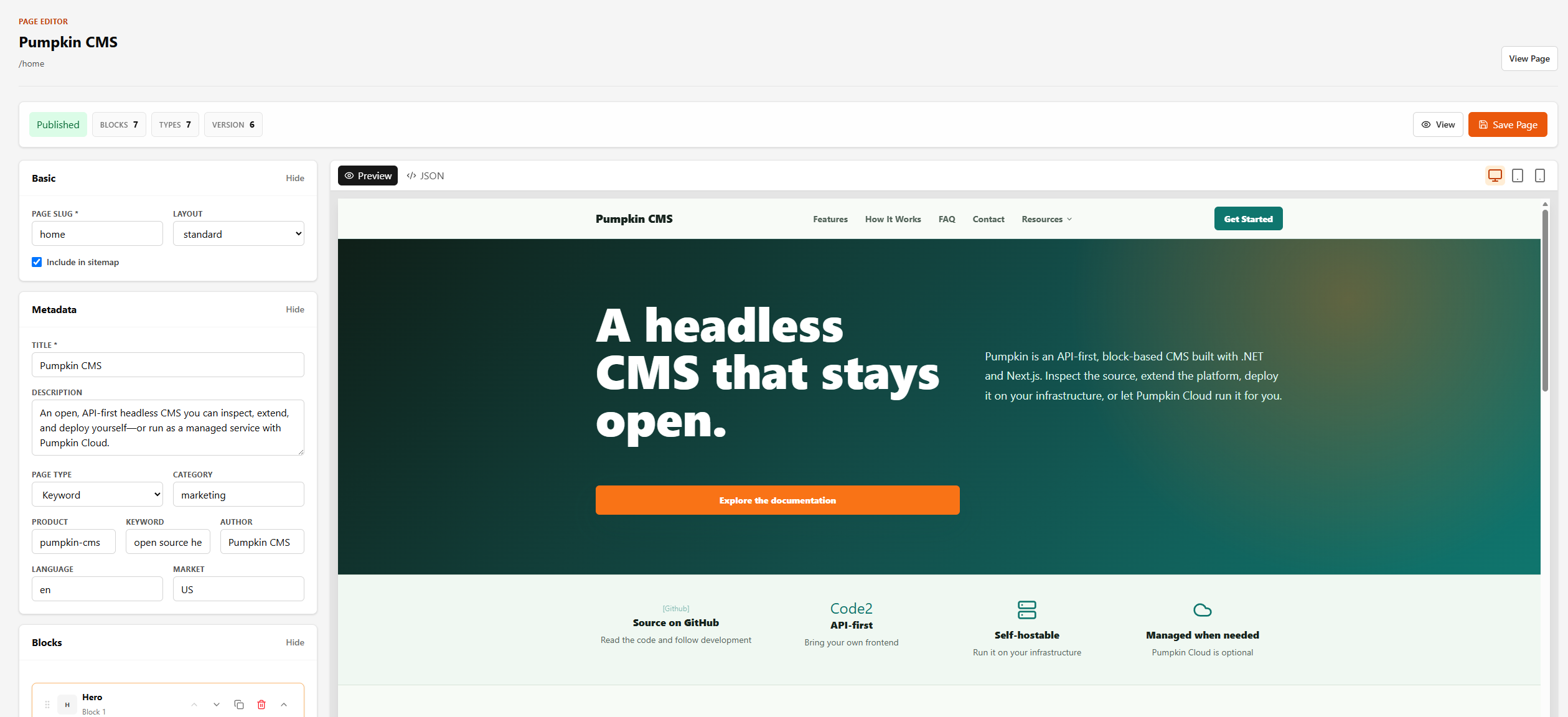
Compose and preview pages with structured blocks in the tenant editor.
Learn more →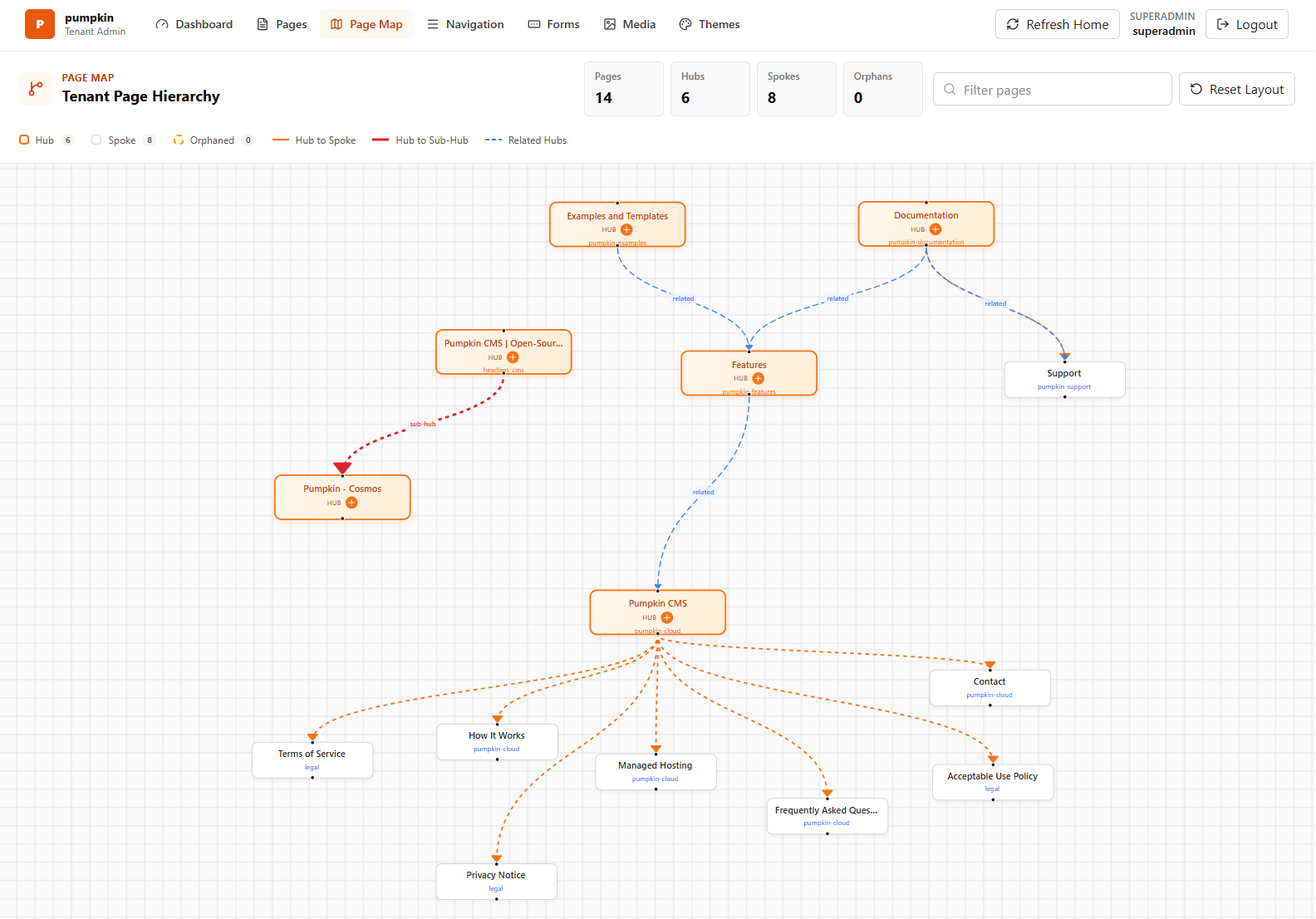
Use documented Hero, CardGrid, FAQ, Blog, Form, and other supported blocks.
Learn more →Read the .NET API, typed models, Next.js starter, block views, and schemas.
Learn more →Style the same content model with compiled themes and tenant-owned assets.
Learn more →Explore Manage Ease when your team wants someone else to operate the website stack.
Learn more →Read the public core, block contracts, and starter architecture.
Use the page map to give each route a clear visitor task.
Compose blocks, add owned media, and preview the rendered page.
Self-host the core or visit Manage Ease to discuss managed hosting.
How the open platform and managed service fit together.
See the source and documentation, then choose the operating model that fits your team.
View the open source codeAsk about the open core, docs, integrations, or contributions. For managed hosting and service options, visit Manage Ease.